Don't have time to read it all?
I led the design lifecycle, from initial discovery to implementation for Appointedd’s new ticket generation and attendee check-in features. With unique QR-coded tickets, attendees can be quickly verified and checked in, helping to reduce wait times and keep event entry smooth and efficient.
- We became a much bigger competitor and viable option to Eventbrite.
- 37% of identified clients had adopted the functionality within the first month.1
- Enterprise clients including Harrods, Liberty London and Victoria’s Secret had expressed eagerness of using the new features for all upcoming events.
The team
- Lead design: Me
- Project Manager: Ruta Vareikaite
- Lead Developer: Corey Magdziarz
- Developers: Jane Tatham & Emma Gray
Market Opportunity
Capitalising on the Eventbrite shift
Appointedd is an enterprise online booking and scheduling platform. In late 2023 Eventbrite removed the ability to host events for free, which created a market gap. We wanted to capitalize on this shift by improving Appointedd’s core event functionality to capture enterprise clients looking to move.
Operational Friction
Why manual tracking led to bad event data
For clients hosting events through Appointedd, checking in attendees relied on a couple of different methods:
Manual platform searches: To successfully log an attendee on Appointedd, organisers had to manually search the system for their name and change their status to 'arrived'. During busy events, they frequently skipped this step and just checked confirmation emails at the door, artificially inflating "no show" metrics and rendering the event data completely unreliable.
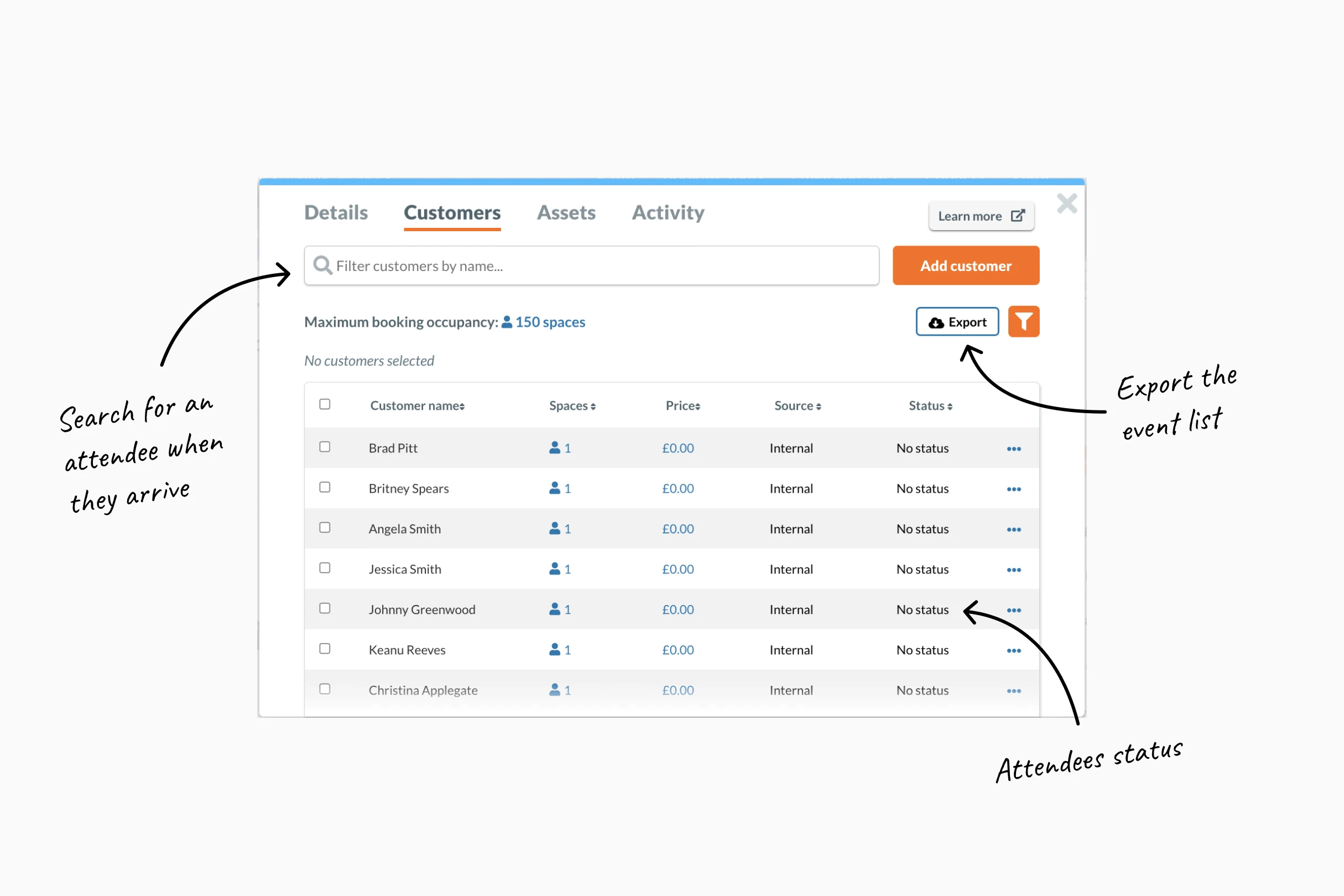
Printed sheets: Exported lists from Appointedd were printed and kept at the door. This was inefficient and, more importantly, a poor brand experience for clients like Harrods or Liberty London.
Team Leadership
Setting early expectations for a remote-first squad
We started the project as a newly formed and fully remote team. This led to communication not being where it needed to be. It was my first project at Appointedd, and the lead developer’s first time leading on the dev side. To fix this, I facilitated a mini ways of working workshop to help set some expectations early on. We established a regular meeting cadence. These meetings included ticket refinements, open design feedback and daily check-ins.
Market Research
Finding our sweet spot between enterprise and lightweight tools
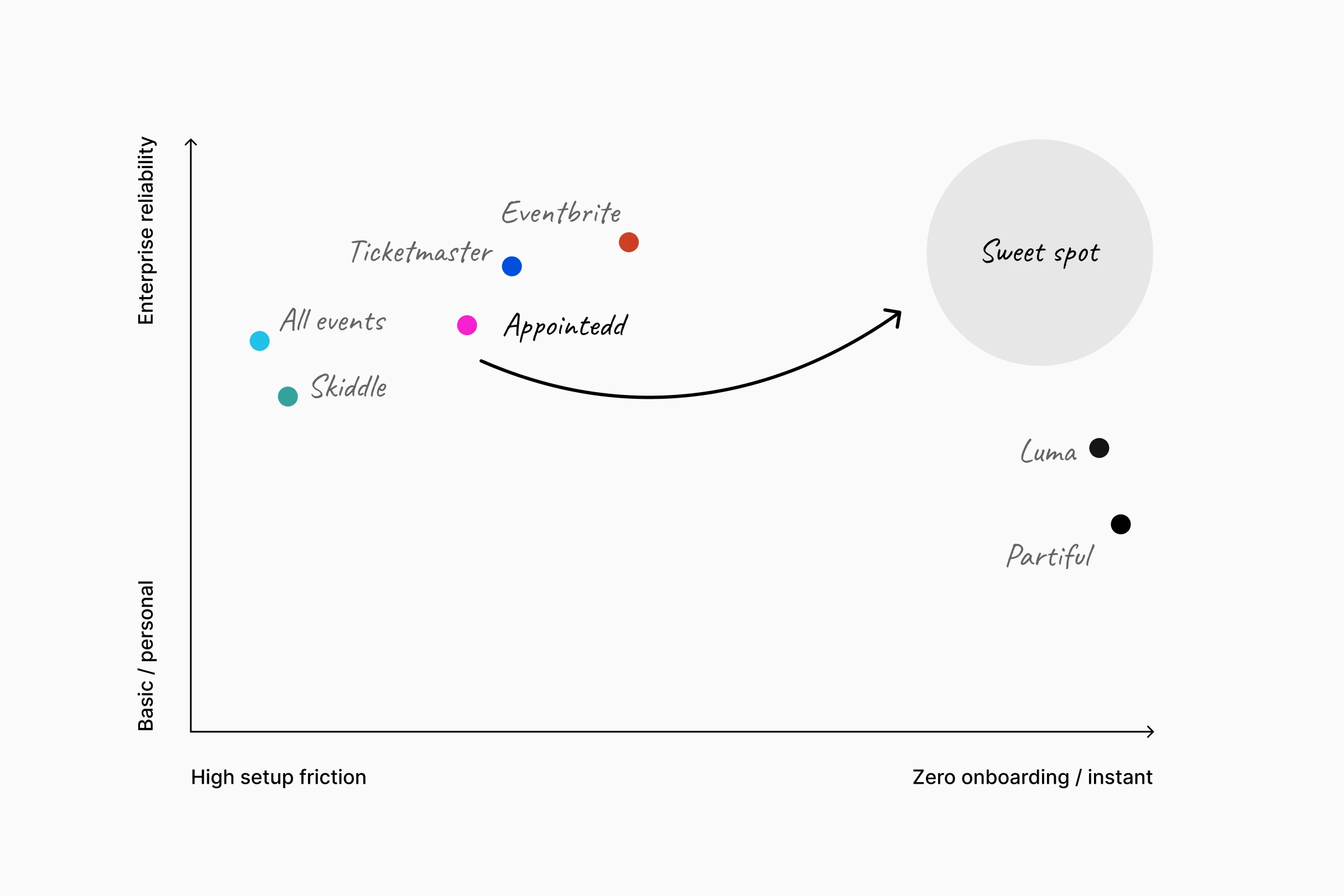
I analysed the leading competitors in the sector including Eventbrite, AllEvents, Ticketmaster, Luma and many more. Enterprise clients needed data reliability and platform robustness, but delivered with the effortless simplicity of newer tools like Luma. That became our design north star for everything that followed.
User Discovery
Testing my hardware assumptions through client interviews
I held moderated user interviews with companies across retail, luxury, and finance including AND Agency, Society Matters, Holyrood Communications and White and Mackay to map their workflows and frustrations. User interviews confirmed that zero onboarding was a non negotiable. While I initially assumed scanning would happen via a laptop and webcam, interviews revealed staff needed the flexibility to scan on any device, including tablets and personal phones. This insight made a browser based scanner the only viable solution. It ensured that anyone could be ready to scan in seconds using hardware already available, without the friction of a download or a complex setup.
Interaction Design
Borrowing familiar mental models from travel tickets
I’ve always found that tickets designed for printing are a disaster on mobile. You’re usually required to awkwardly zoom in on a PDF ticket just to get the QR code big enough for the scanner.
I looked beyond the event space to rail and air travel for inspiration, borrowing established design patterns to ensure tickets felt familiar. To test legibility, I ran rapid mobile tests by emailing PDF prototypes to various devices, identifying any display issues before they moved to production.
Release Strategy
Slotting functionality into the live product to ship faster
The new ticketing functionalty slotted directly into the existing event creation journey. This approach meant we could ship the feature and get it into users hands immediately while the larger event management overhaul was still being built in the background.
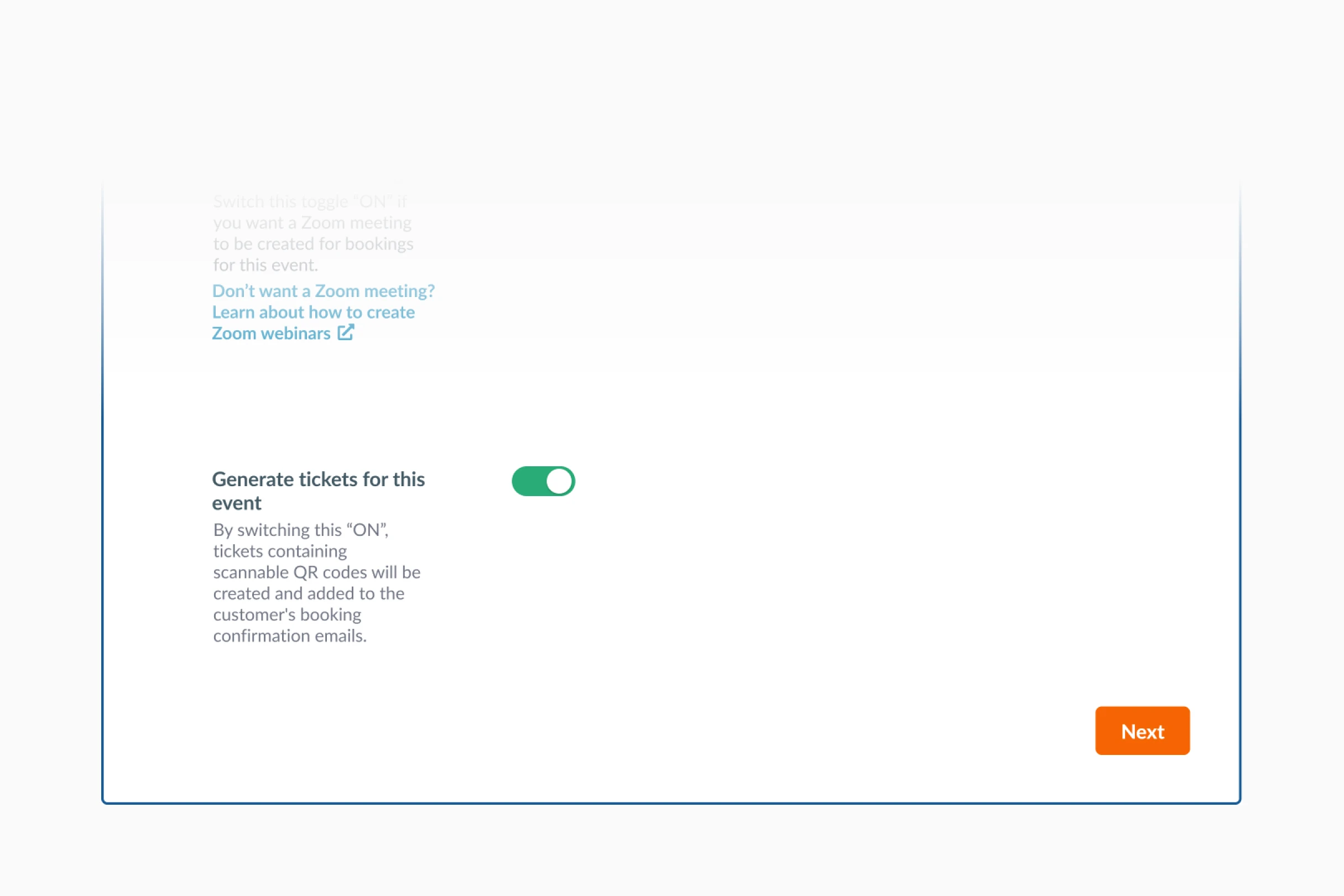
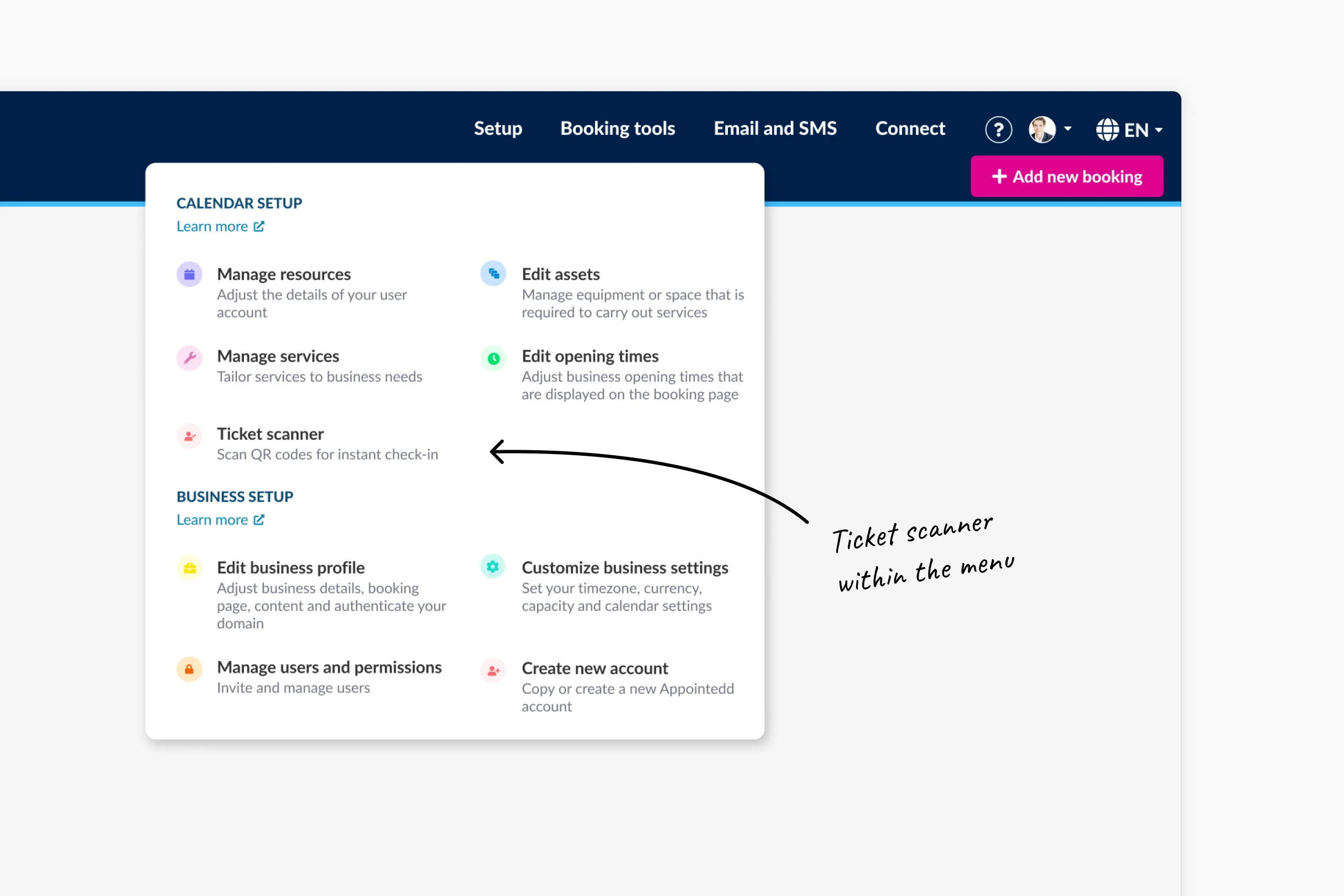
Introducing digital ticket and scanning
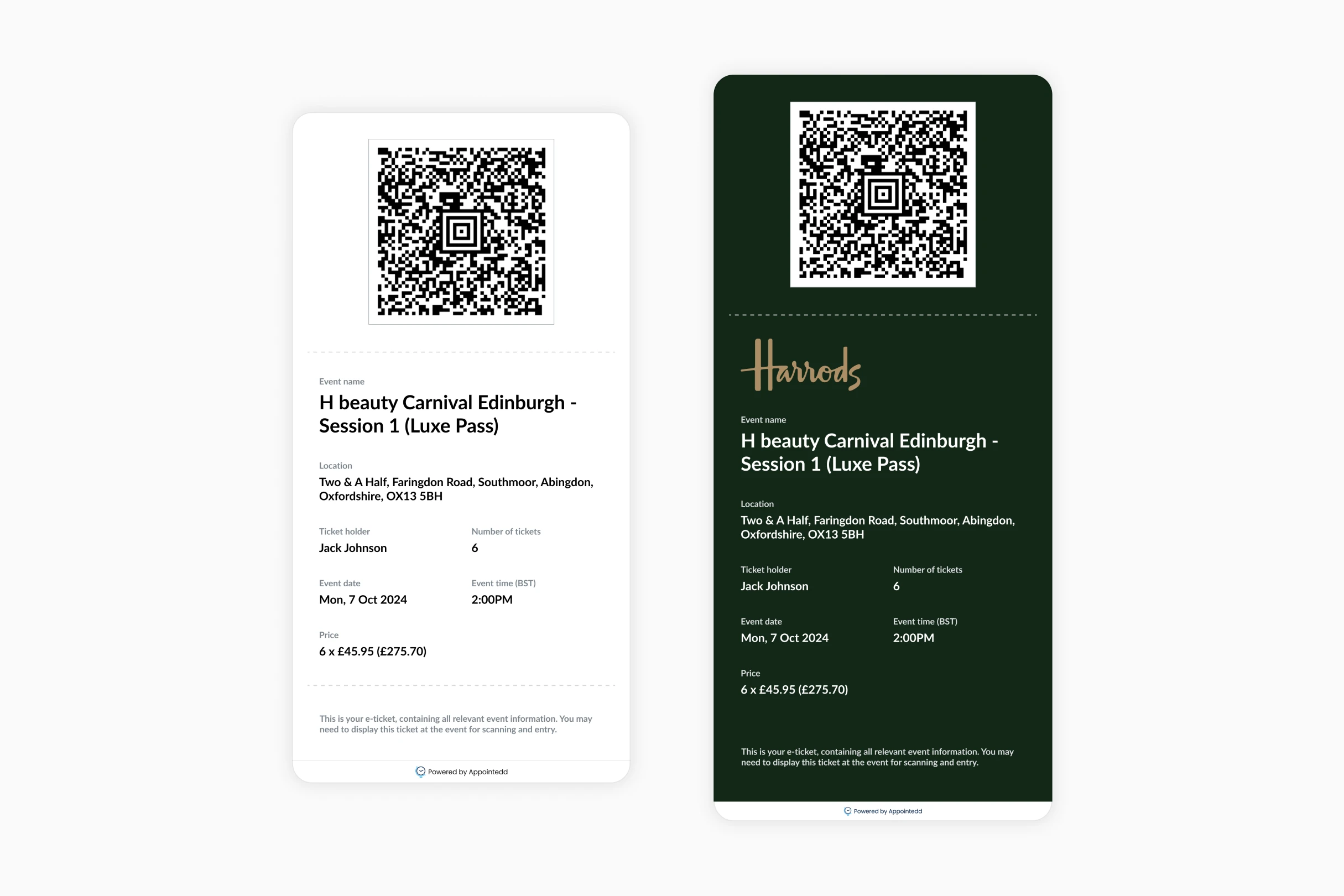
Clients could now issue automatic tickets directly via Appointedd. With unique QR-coded tickets, attendees can be quickly verified and checked in, helping to reduce wait times and keep entry smooth and efficient.
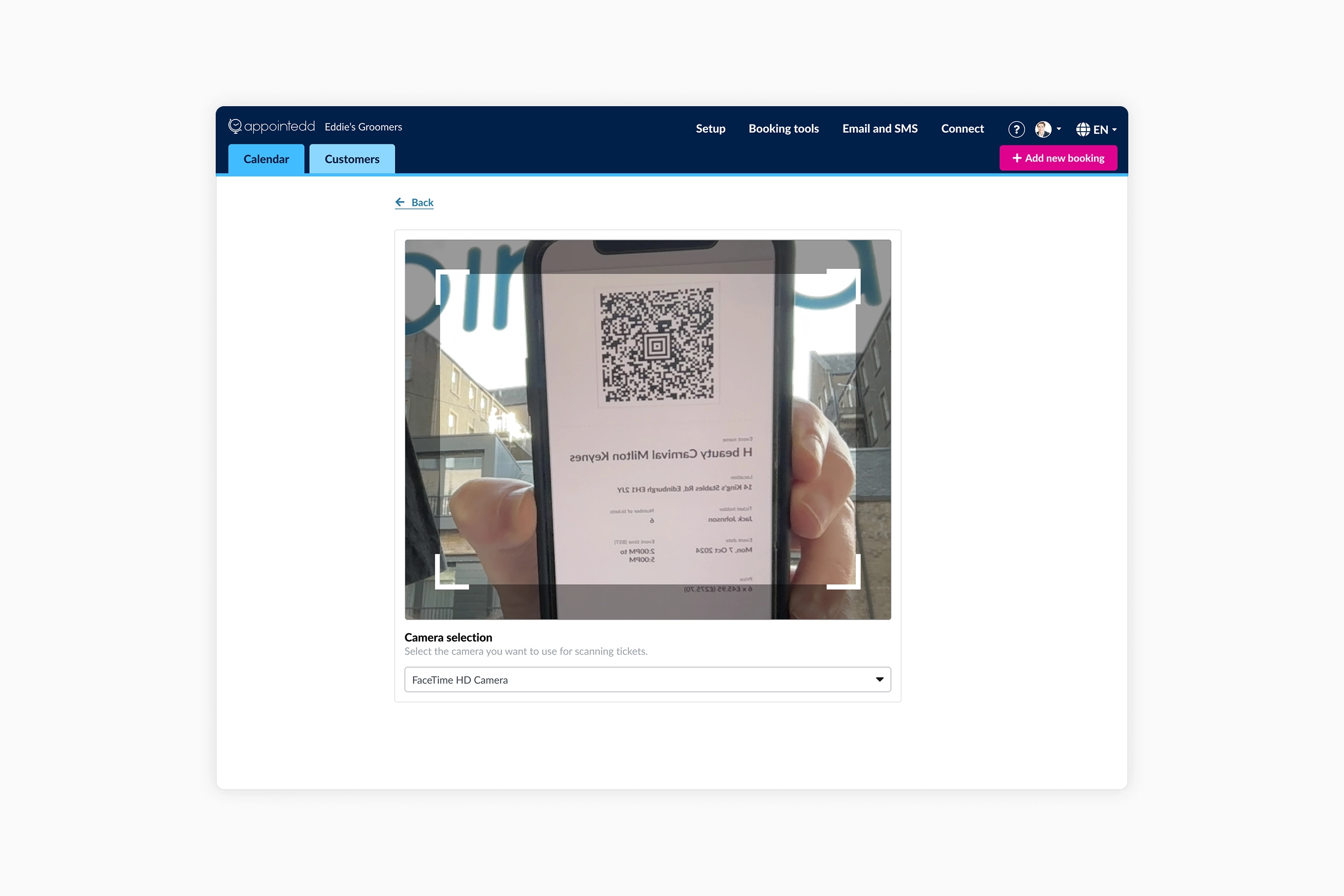
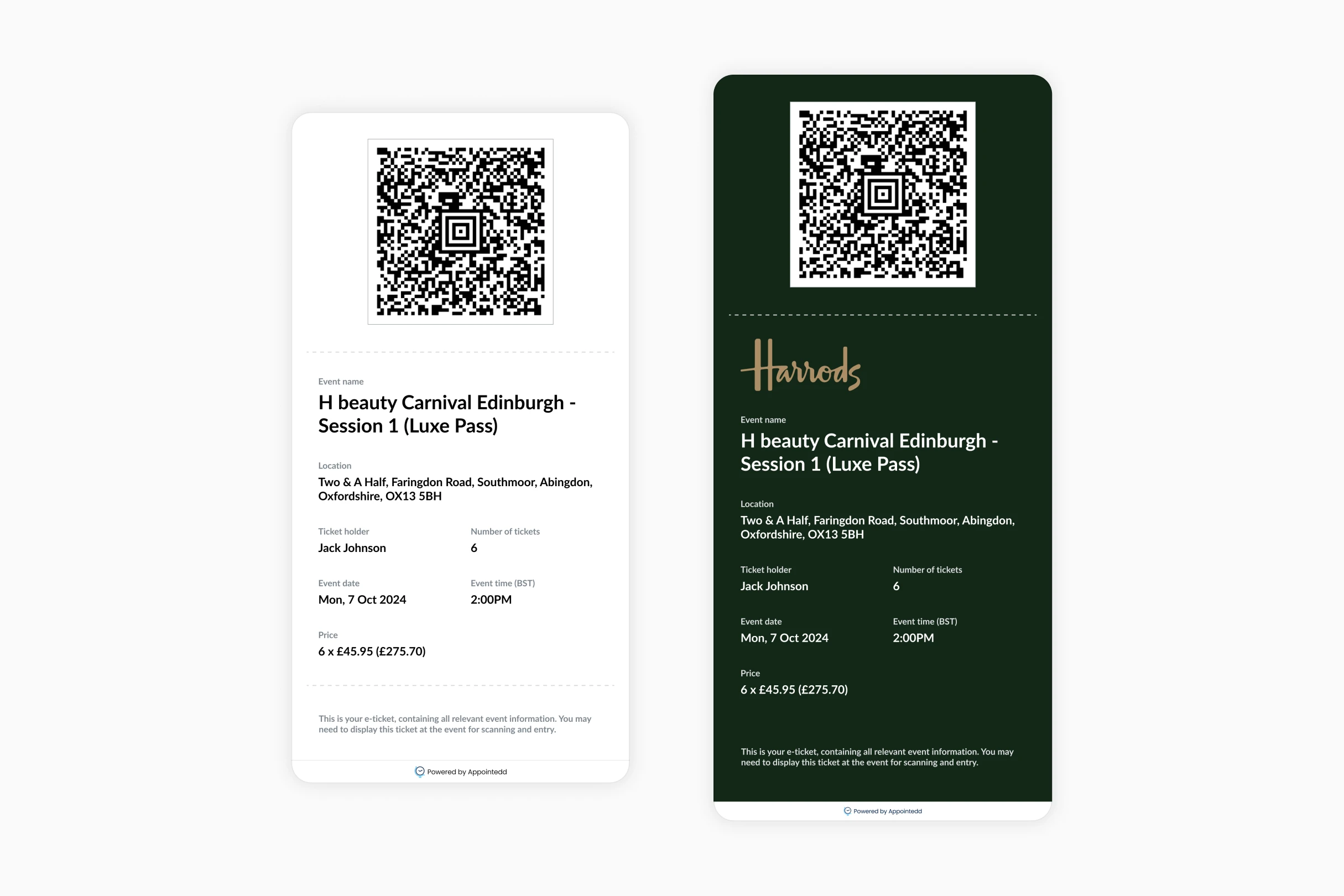
When clients enable this feature for events, each attendee will automatically receive a PDF ticket containing a unique QR code attached to their confirmation email.
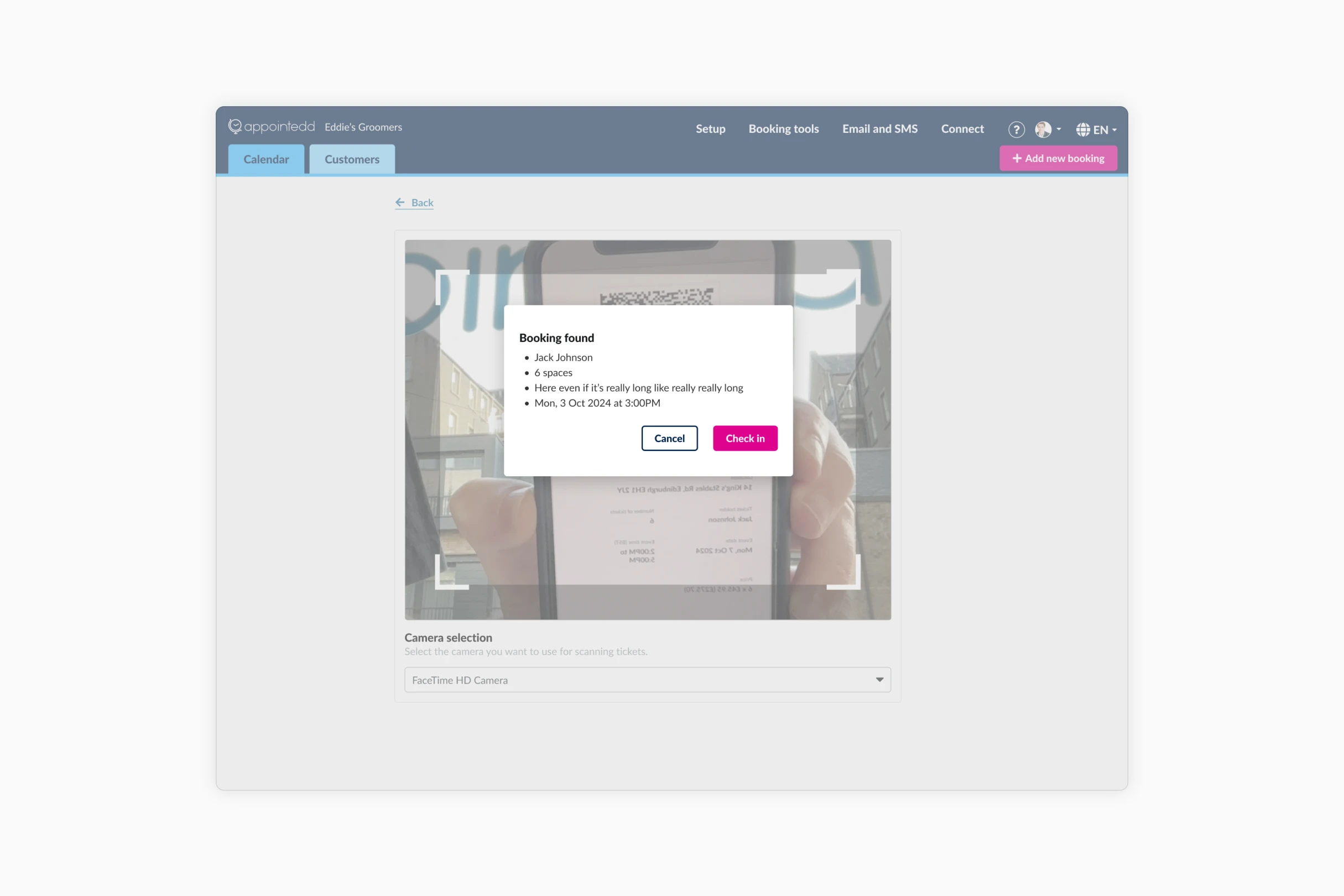
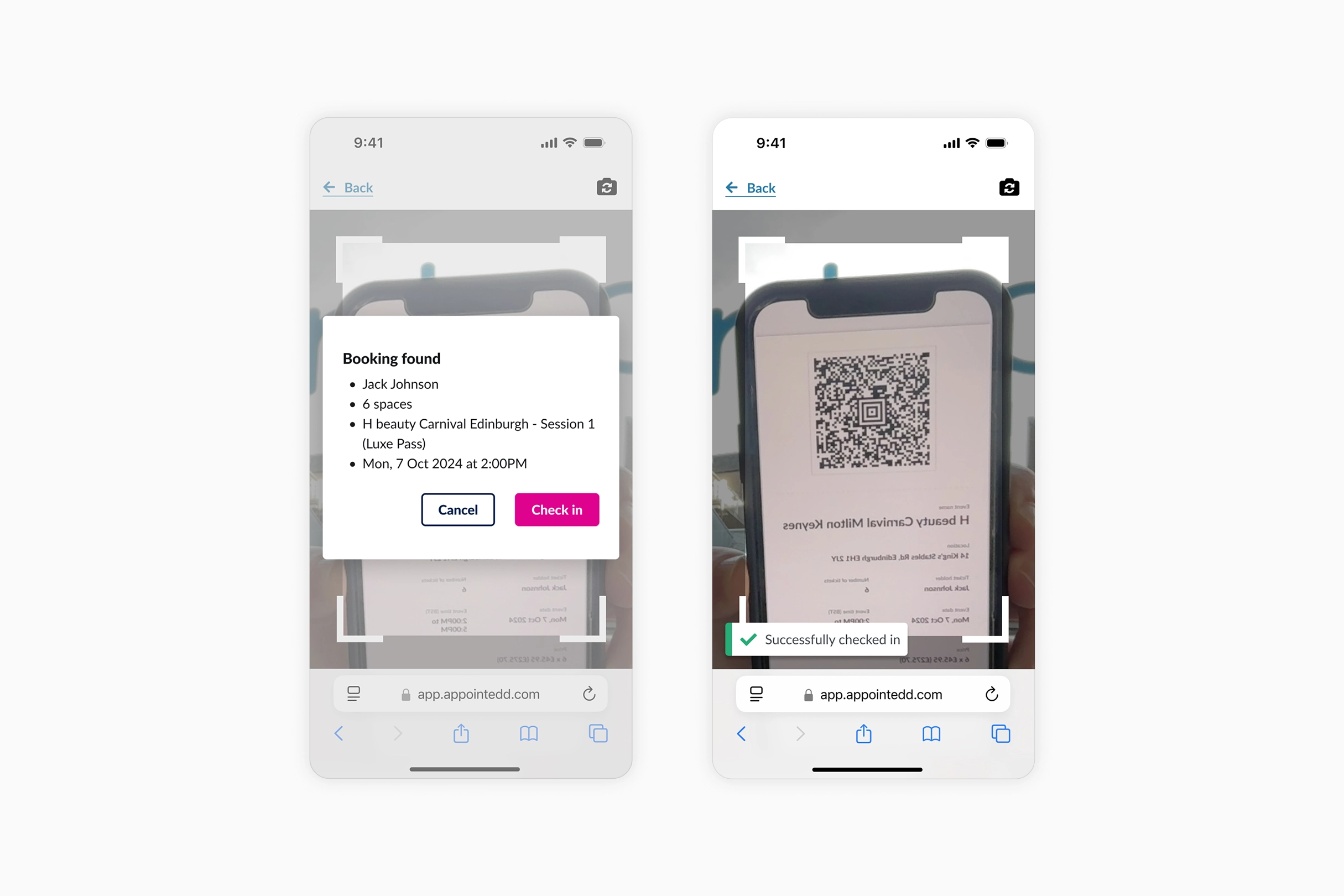
On the event day, clients can use the built in scanner in the Appointedd web app to scan each QR code and automatically check in attendees, marking them as "Arrived" in real time.
Product Resilience
Designing actionable feedback for stressful door environments
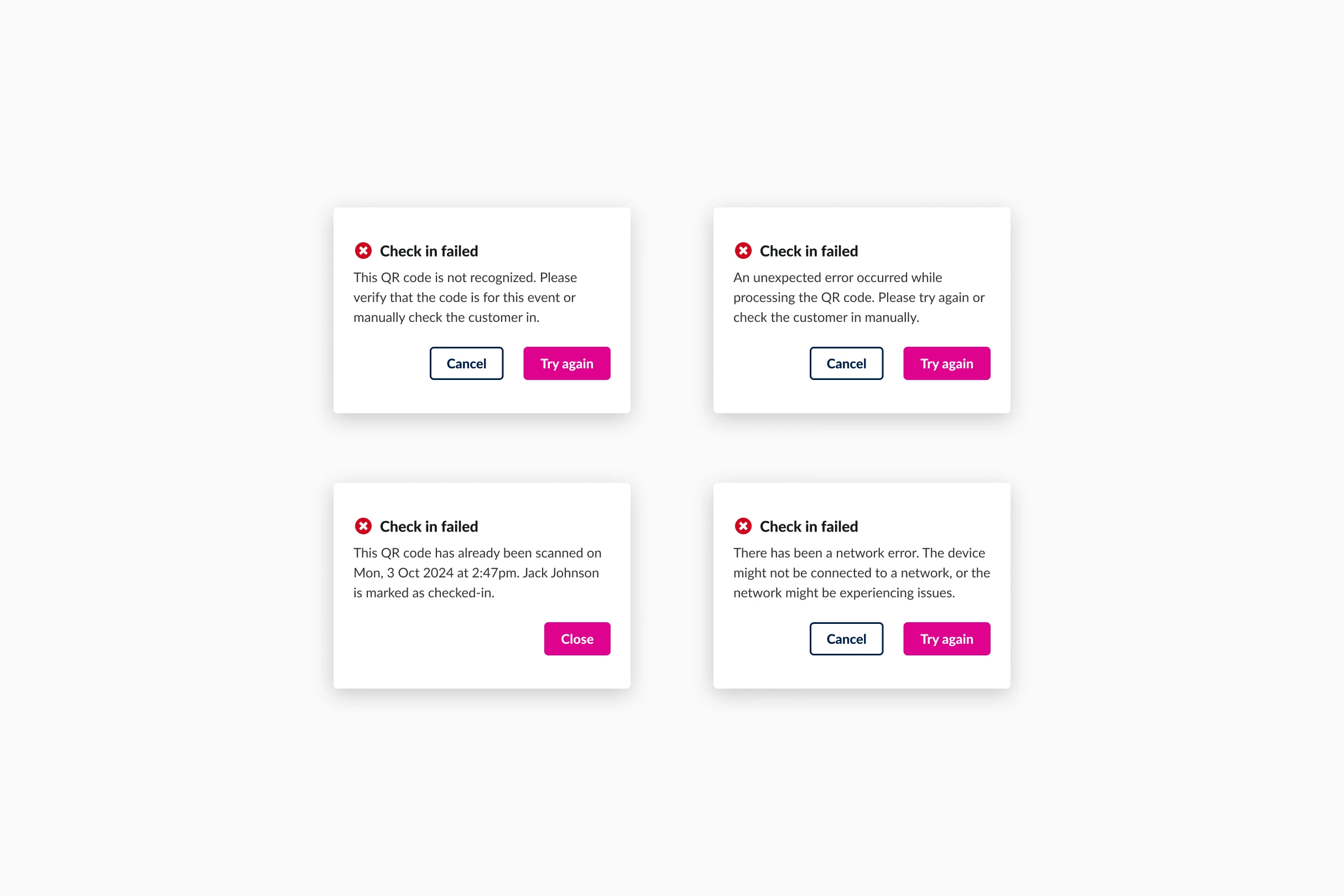
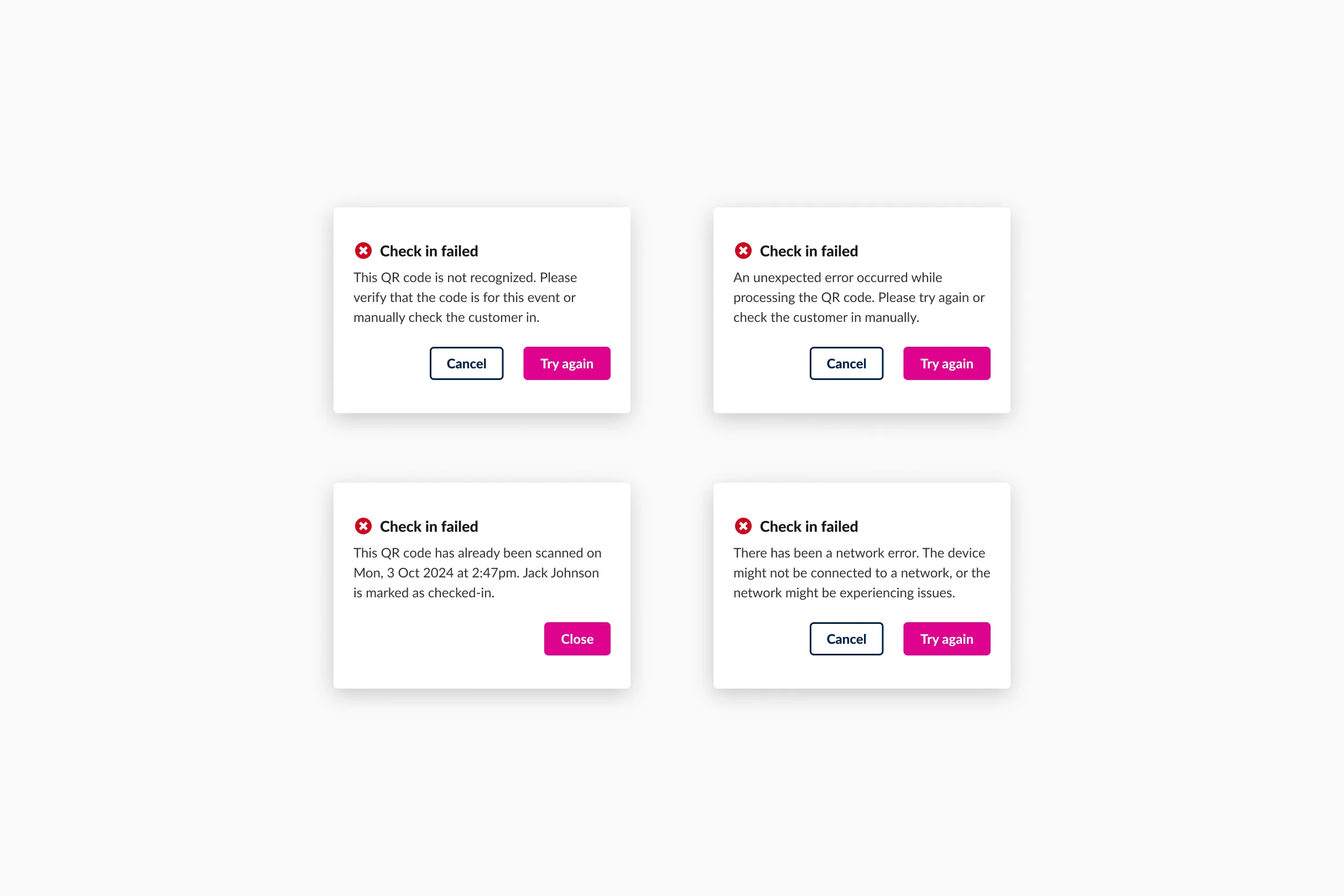
In a perfect world, every attendee would arrive on time with a valid ticket. In reality event staff deal with network issues, duplicate ticket scans, and guests arriving long after the event has started. We had to ensure this tool could handle all of those eventualities.
Instead of creating generic error states, I focused on providing actionable feedback so staff could resolve issues quickly.
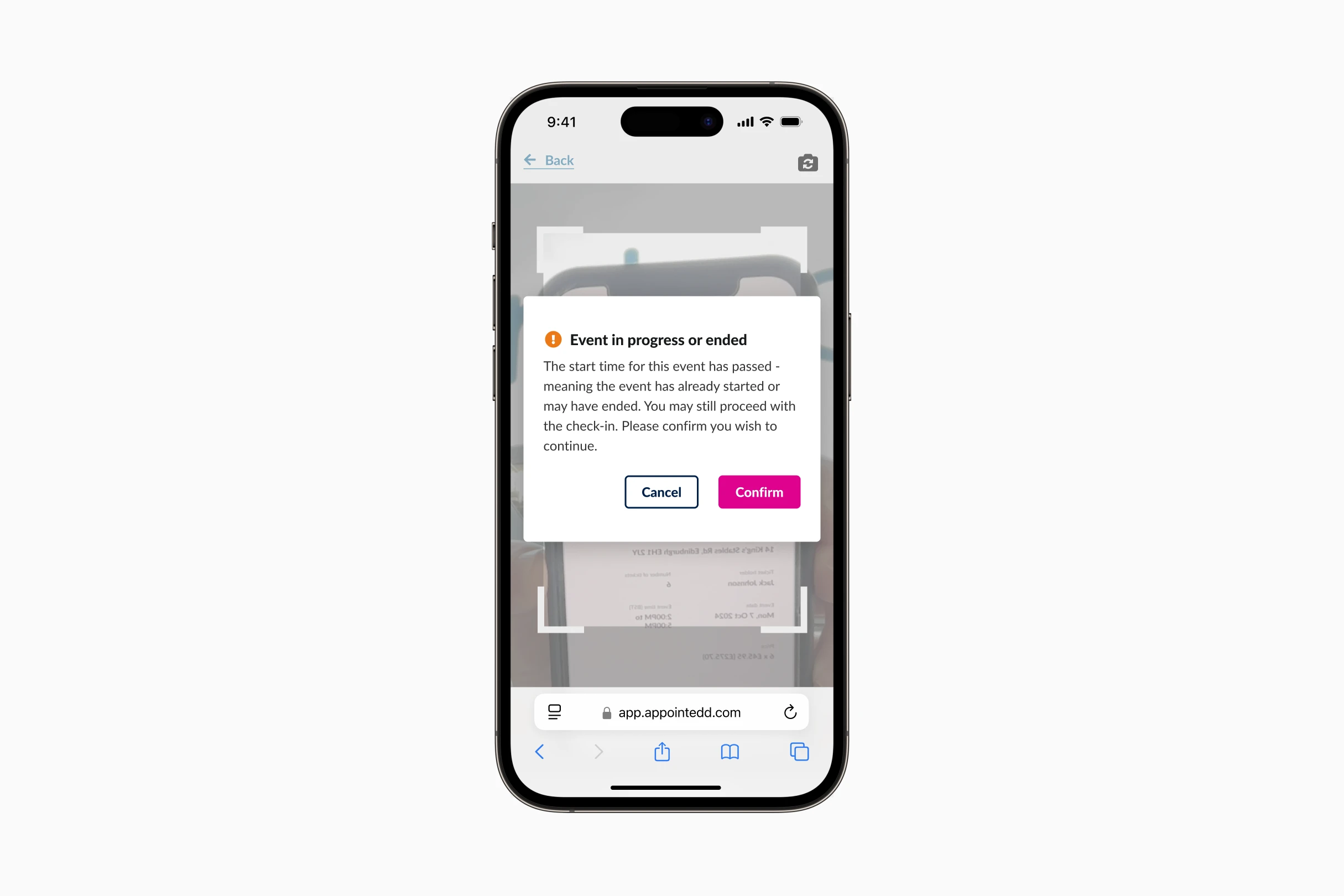
The scanner would also highlight when an attendee is late. This gave the event runner the final say on whether to refuse entry or let them in, making sure they actually understood the situation before hitting confirm.
Detail & Craft
Eliminating traveler confusion with device calendar syncs
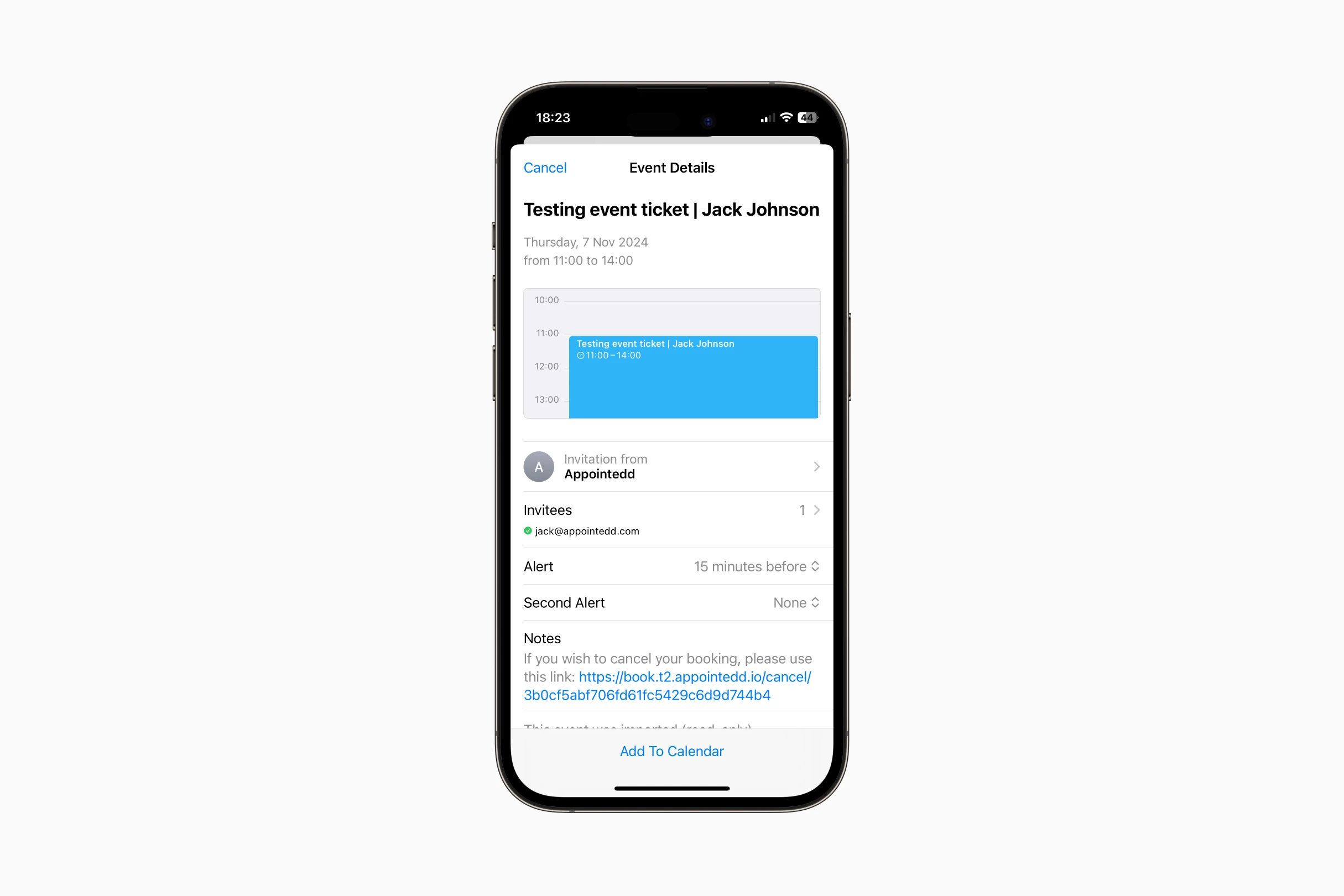
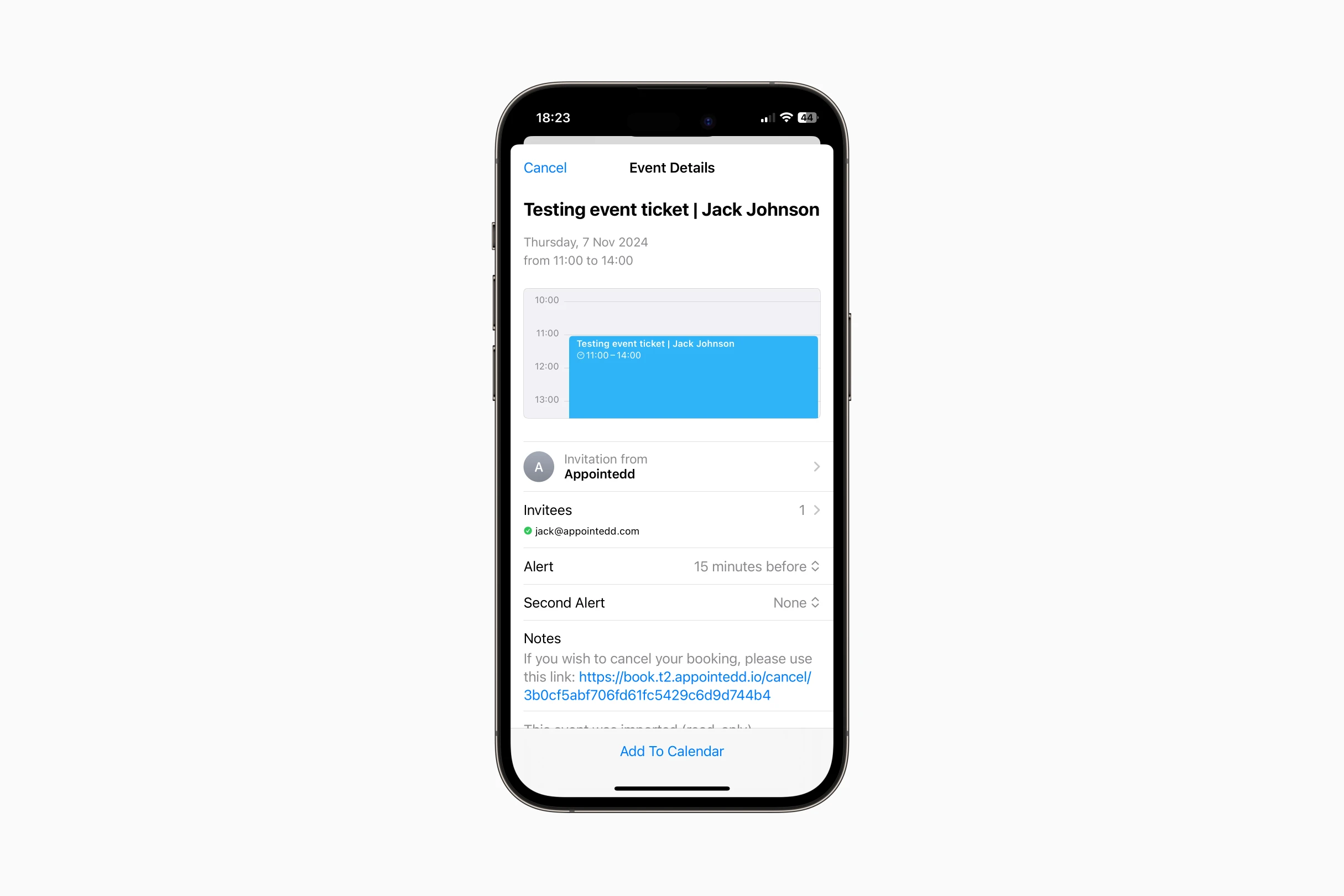
I maintained the platform's standard Europe/London (GMT) formatting for the digital tickets. This kept the ticket information consistent with confirmation emails.
Those emails also feature an "Add To Calendar" integration which adds the event to your device calendar and handles the automatic local time conversion. This approach provided a static source of truth on the ticket without losing the convenience of local scheduling for attendees.
Product Scoping
Deferring nice-to-haves to secure the launch date
To ensure we were stayed on track for the launch date, I consciously deferred features like custom ticket design and digital wallet integration to Phase 2, trading 'nice to have' features for project quickness.
Afterword
This project was just one part of a bigger overhaul for events on the Appointedd platform. I was unfortunately made redundant before we could get Phase 2 out the door, but I’m glad I oversaw the first release of the ticketing and scanning tools. Functionality that is still live and helping customers today.
Retrospective
What I’d have done differently
One thing that would have really benefitted the scanner is a context-based prompt. A simple toast or timed modal that surfaced when an event was live, with a quick button taking you straight to it. It’s something I didn’t think about until after we shipped.
As the designs show, much of the platform wasn’t mobile responsive at this point, including the header. That left organisers on their phones having to zoom in just to tap the scanner link. Not ideal when you have a queue forming at the door.
I also think we should have pushed harder for Apple and Google Wallet in the first release. For most customers buying tickets on mobile it’s probably an expected feature, not a nice to have.